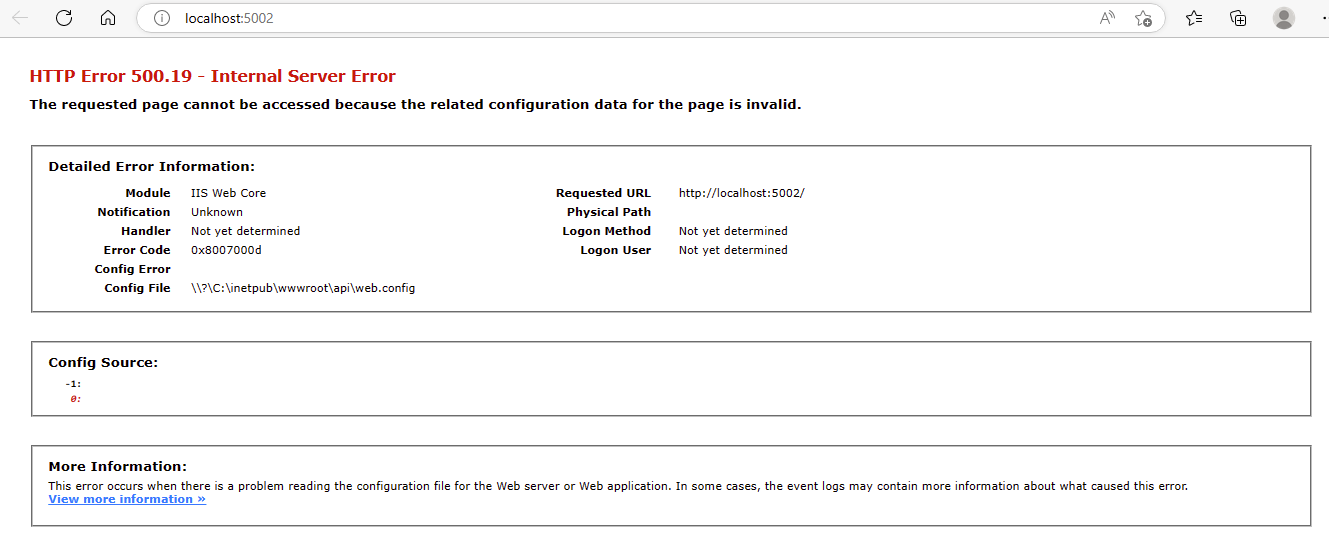
When a user first navigates to the application URL and receives an HTTP error, the issue typically lies with the web server configuration, the PowerServer Web API service, or the network/firewall setup.
When
Immediately upon accessing the application URL in a browser — before any app content loads.
Symptoms
HTTP error codes such as 403 Forbidden, 404 Not Found, 500 Internal Server Error, 502 Bad Gateway, or 503 Service Unavailable displayed by the browser.
💡 Key characteristics to recognize
-
The browser shows a standard HTTP error page — no PowerServer UI is displayed at all.
-
The error code gives the first diagnostic clue: 4xx = access/routing problem; 5xx = server-side failure.
-
Other websites on the same server may work fine, indicating a configuration issue specific to this app.
Example: