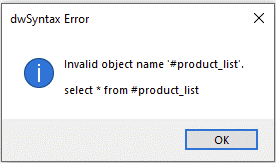
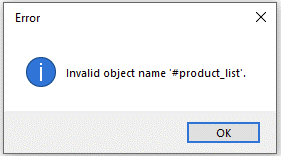
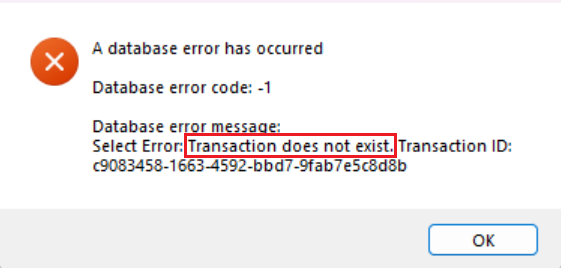
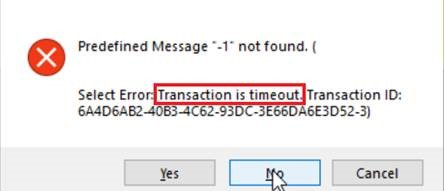
Database errors in PowerServer arise most commonly from transaction and network behavior differences — not from simple connection failures. Unlike classic C/S PowerBuilder where one persistent transaction stays open for the entire application lifetime, PowerServer manages multiple short transactions: a transaction starts when a connection is borrowed from the pool, and closes when Commit/Rollback is called or the timeout is reached. This means transaction timeout errors (“Transaction is timeout”, “Transaction does not exist”) are a PowerServer-specific category that developers from a C/S background will not have encountered before. A smaller category of DB errors stems from PowerServer not supporting certain SQL constructs or driver behaviors; these are less frequent but equally silent.
When
When any database operation is attempted at runtime: DataWindow Retrieve, DataWindow Update, embedded SQL Select/Update/Delete, or stored procedure calls. Transaction timeout errors typically surface in long-running operations or stored procedures where Commit/Rollback is not called explicitly.
Symptoms
“Transaction is timeout” or “Transaction does not exist” error dialogs; DataWindow displays empty or stale data after Update; save operations appear to succeed but data is not committed; SQL error codes (SQLSTATE, database-specific error numbers) in the Web APIs log; silent failures where updates return success but nothing is written to the database.
💡 Key characteristics to recognize
-
The error occurs only during a data operation — DataWindow Retrieve, DataWindow Update, embedded SQL, or stored procedure call — while the rest of the app (navigation, UI rendering) continues to work normally; this isolates the problem to the database layer rather than the server or network.
-
A DataWindow retrieves no data or returns unexpected results with no error dialog shown — silent data failures, including null value handling differences or data type mismatches between the C# model and the actual database column, are a distinct DB error pattern.
-
The same data operation behaves differently from the classic C/S PowerBuilder app — producing different results, different row counts, or errors that never occurred in C/S — indicating a PowerServer-specific behavior difference rather than a general database problem.
-
The error message contains "Transaction is timeout" or "Transaction does not exist" — these are PowerServer-specific and have no equivalent in classic C/S PowerBuilder; they signal that a transaction was not closed before the timeout was reached.
Example: