PowerClient applications
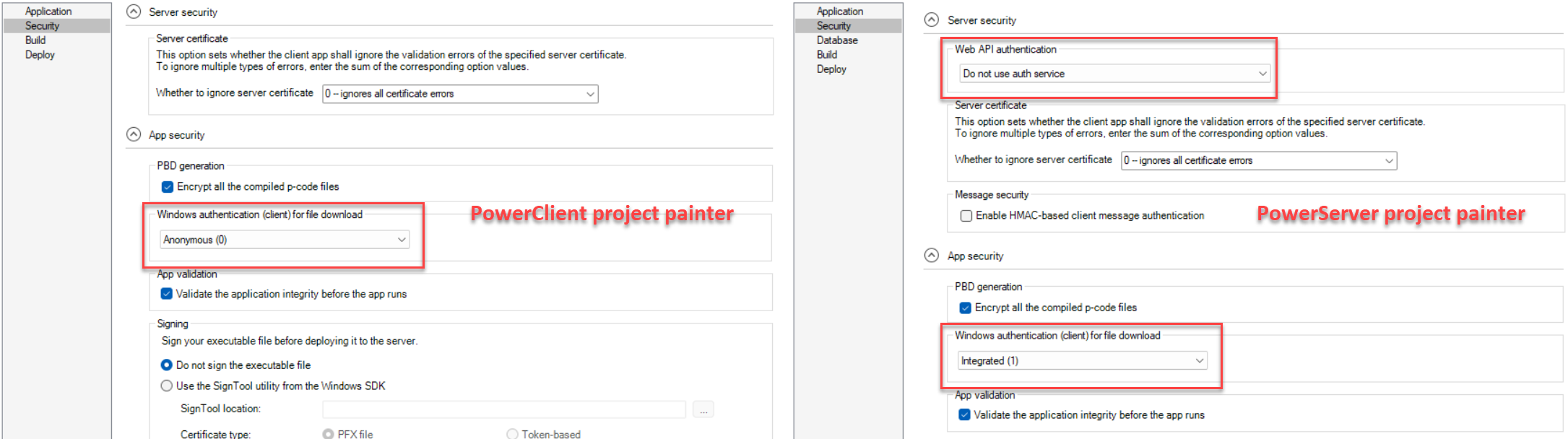
In the PowerClient project painter > Security page, choose the authentication mode
under Windows authentication (client) for file
download. This setting determines the authentication used
when downloading application files and is stored in
apprun.json on the server (remember to include
apprun.json when deploying the app) and
pbapp.ini on the client.
PowerServer Web APIs
In the PowerServer project painter > Security page > Server security section, choose the
authentication mode under Web API
authentication. This setting determines the
authentication used for Web API requests and is stored in
appconfig.json on the server.
PowerServer cloud apps
In the PowerServer project painter > Security page > App
security section, choose the authentication mode under
Windows authentication (client) for file
download. This setting determines the authentication used
when downloading application files and is stored in
apprun.json on the server (remember to include
apprun.json when deploying the app) and
pbapp.ini on the client.