Query performance can degrade when application sessions use
ARITHABORT OFF and numeric types do not match.
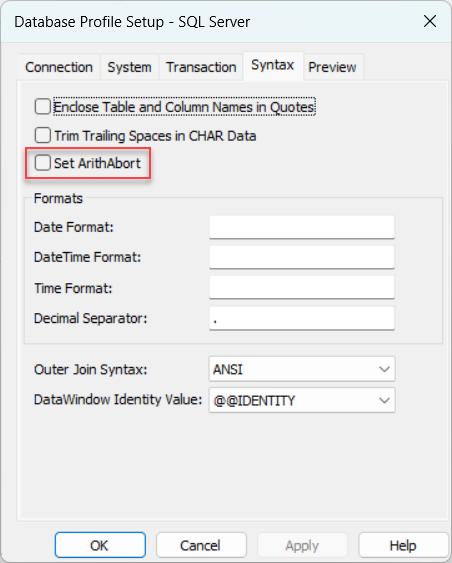
To address this, a new option, "Set
ArithAbort", is added to the Database Profile Setup
dialog box, along with a corresponding database parameter, ArithAbort (1 =
ON, 0 = OFF).
This allows developers to explicitly control the ARITHABORT setting through the UI or in scripts. By default, this option is not specified, meaning its behavior depends on the client environment.
According to Microsoft official documentation, always set ARITHABORT to ON in your logon sessions. Setting ARITHABORT to OFF can negatively impact query optimization, leading to performance issues.
This option is only available for MSOLEDBSQL SQL Server and ADO.Net SQL Server.
MSOLEDBSQL SQL Server:
SQLCA.DBMS = "MSOLEDBSQL SQL Server"
SQLCA.AutoCommit = False
SQLCA.DBParm = "ArithAbort=1"
ADO.Net SQL Server:
SQLCA.DBMS = "ADO.Net"
SQLCA.AutoCommit = False
SQLCA.DBParm = "Provider='SQL Server',ArithAbort=1"