

To use RibbonView, you need to enable the DisplayMenuAsRibbonBar property. The DisplayMenuAsRibbonBar property is only available for MDI and MDIHelp window types.
To enable this property,
-
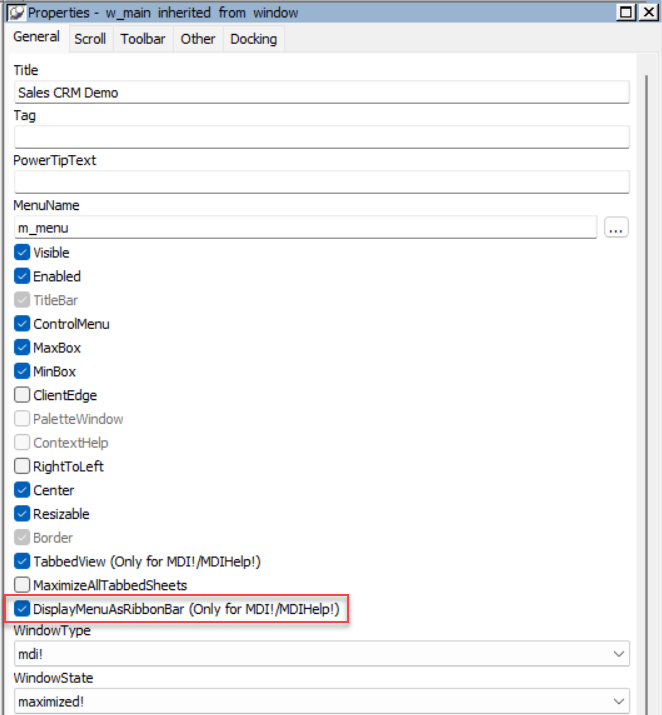
Navigate to the General tab in the Window control Properties page and select the "DisplayMenuAsRibbonBar (Only for MDI!/MDIHelp!)" property.
-
Or enable the DisplayMenuAsRibbonBar property in the script. For example,
w_main.displaymenuasribbonbar = true
Note
When enabling or disablingDisplayMenuAsRibbonBarat runtime, you must first close all open sheet windows in the current MDI/MDIHelp frame. This prevents layout conflicts: If sheet windows remain open, redrawing the ribbon bar or menu and activating a sheet can trigger extra redraws that may lead to incompatibility issues.Note
When you enable the theme feature for an application and dynamically enable the
DisplayMenuAsRibbonBarproperty at runtime for a traditional-style menu, the images for the converted ribbon bar will be lost.The contemporary-style menu has no such issue, therefore, you may consider using a contemporary-style menu instead, or using the following workaround.
A workaround is to disable drawing of the menu (e.g., m_traditionalmenu_frame) in the theme file:
{
               "meta-info":
               {
                              "version":"THEMEVERSION"
               },
                              "w_traditionalmenu_mdihelp.m_traditionalmenu_frame":
               {
                              "drawing":false
               }
}
Or disable drawing of all menu objects in that window (e.g., w_traditionalmenu_mdihelp):
{
               "meta-info":
               {
                              "version":"THEMEVERSION"
               },
                              "w_traditionalmenu_mdihelp$menu":
               {
                              "drawing":false
               }
}
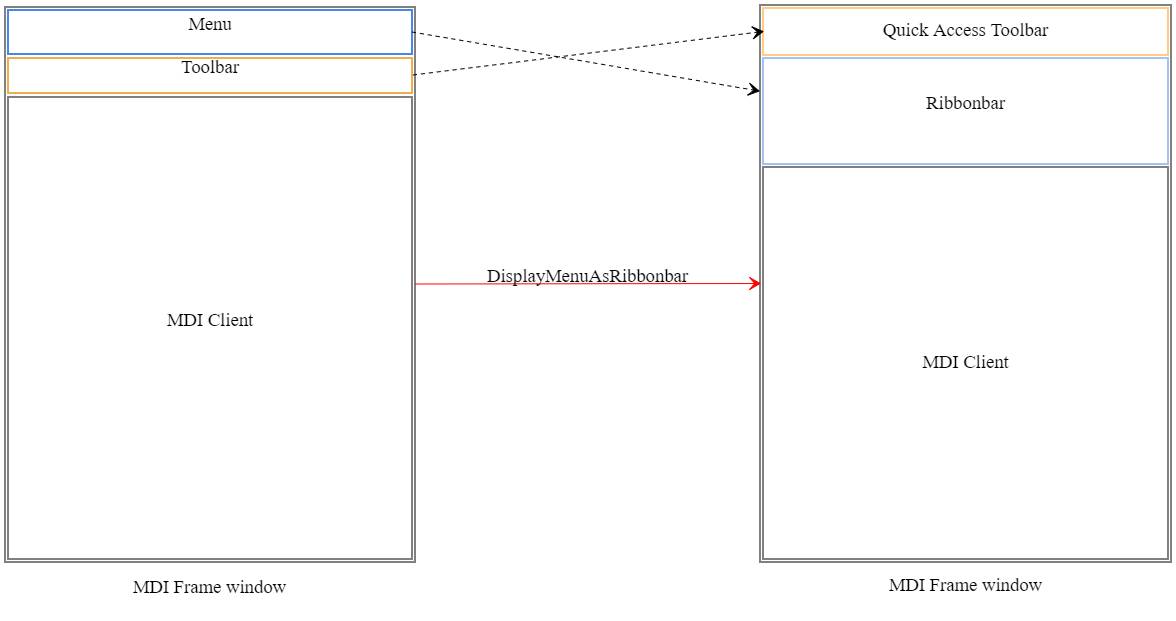
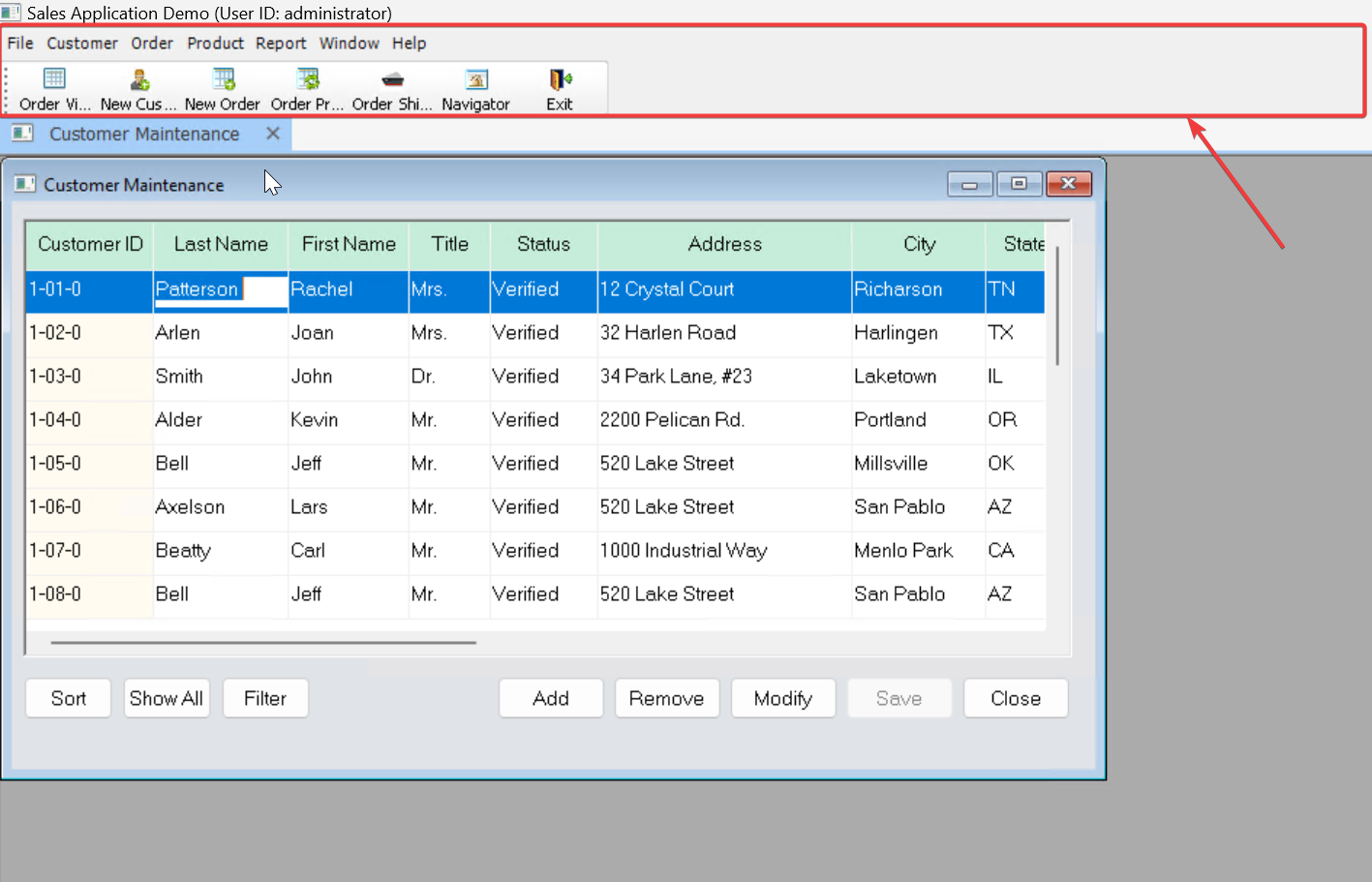
Once DisplayMenuAsRibbonBar is enabled, the original menu style will be displayed in the ribbon bar style, and the toolbar (if any) will be displayed as the QuickAccessToolbar, both at the top of the MDI frame window. (You will need to run the application to see these changes.)
The default layout:
Original menu:
Ribbon bar:
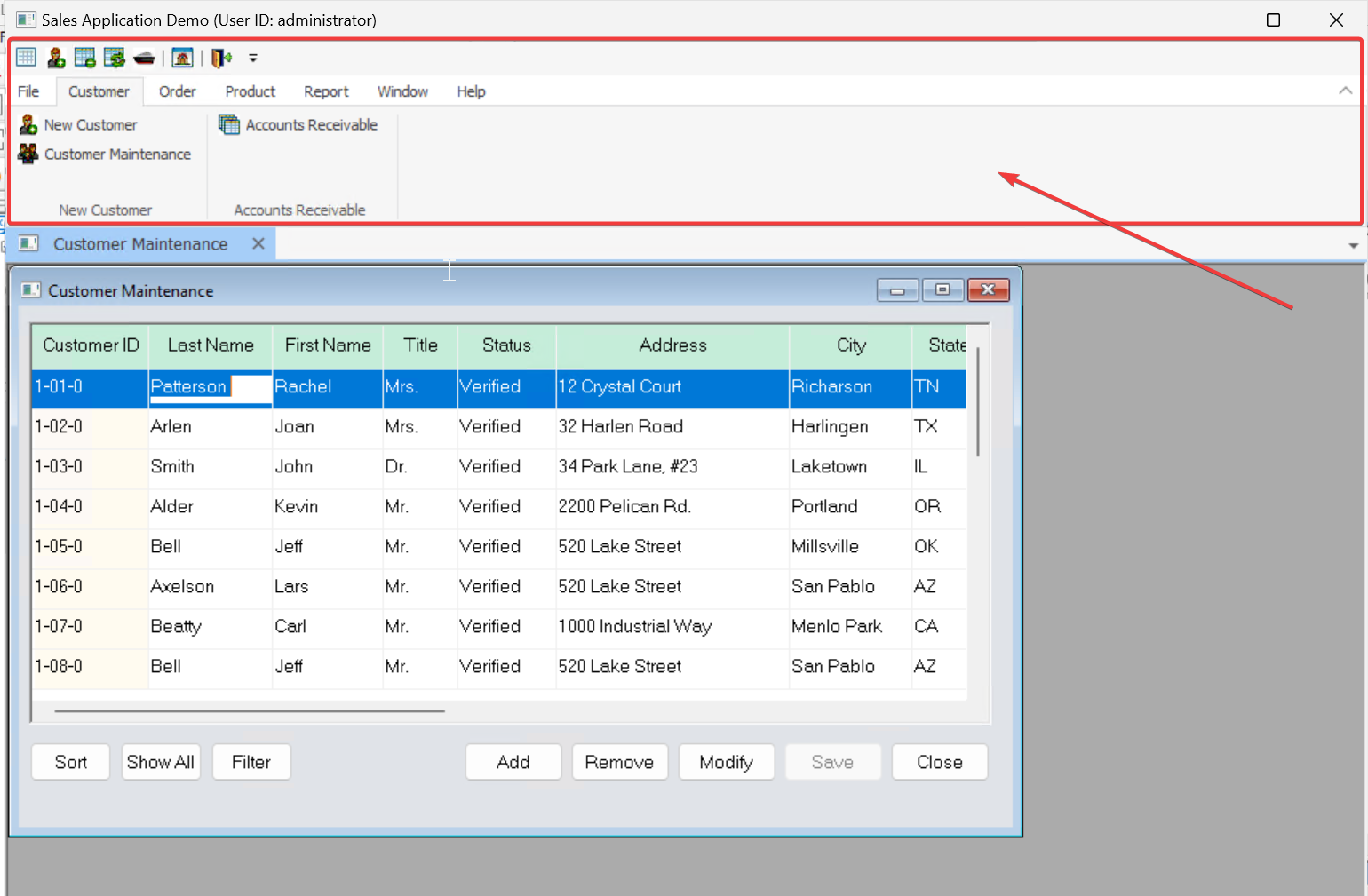
The ribbon bar occupies more space than the original menu, therefore, the MDI client area is smaller than before. For more information about the window size, please refer to section Window size.
