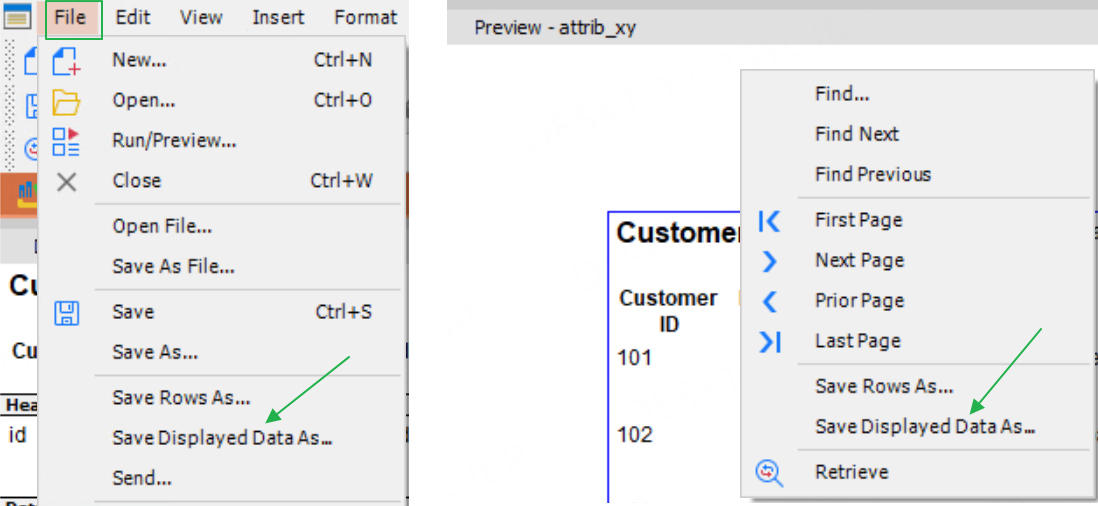
A new menu Save Displayed Data As is added to the report to save the actual header text (the text in the header band). For example, if the heading for the cust_id column is Customer ID, Save Displayed Data As saves "Customer ID" instead of "cust_id".
The supported saveas formats include
-
Text
-
CSV
-
Excel
-
Excel5
-
Excel8
-
Excel12 (*.xlsx)
-
Excel12 (*.xlsb)
The Save Displayed Data As menu appears under the Save Rows As menu, commonly found in the following areas:
-
When you open a report in the IDE, you can access this menu from the File menu, or right click in the Preview view to access the menu from the popup menu.
-
When you run/preview a report, you can access this menu from the File menu.