

Description
Configures the settings for the WebBrowser control. The global settings are also configured.
Syntax
WebBrowserSet (string n, string v)
|
Argument |
Description |
|---|---|
|
n |
The name of the setting that is case insensitive. The setting can be:
|
|
v |
The value of the setting to be set.
|
Return value
Integer.
Returns 1 if the function succeeds and a negative value if an error occurs. If any argument's value is null, the method returns null.
Usage
These settings must be configured before the WebBrowser control is initialized: RuntimeMode, FixedVersionRuntimePath, allow-file-access-from-files, UserDataFolder, Language, UserAgent, remote-allow-origins, and remote-debugging-port. In most cases, this means configuring them before the window that contains the WebBrowser control is opened, that is, in the application Open event, or in any event that is triggered before the window that contains the WebBrowser control is opened.
Once the WebBrowser control has been initialized, restarting the application by using the Restart function does not apply changes to these settings. You will need to exit the application and start it again. If the application (32-bit) is run from the PowerBuilder IDE, you may also need to restart the IDE.
The remote-allow-origins, and remote-debugging-port settings should be used only when the application is in the debug mode. For optimal performance, please comment out these settings when the application is not in the debug mode.
To support the remote debugging:
1. Enable remote debugging on the specified port number, by executing the following script in the application Open event:
li_return = WebBrowserSet("remote-debugging-port", "8210")
li_return = WebBrowserSet("remote-allow-origins", "*")
Every time when these scripts are executed, a unique page ID is generated. You can get and use this ID through the debugging APIs.
2. Run the debugging APIs in Chrome or Edge browser. For example:
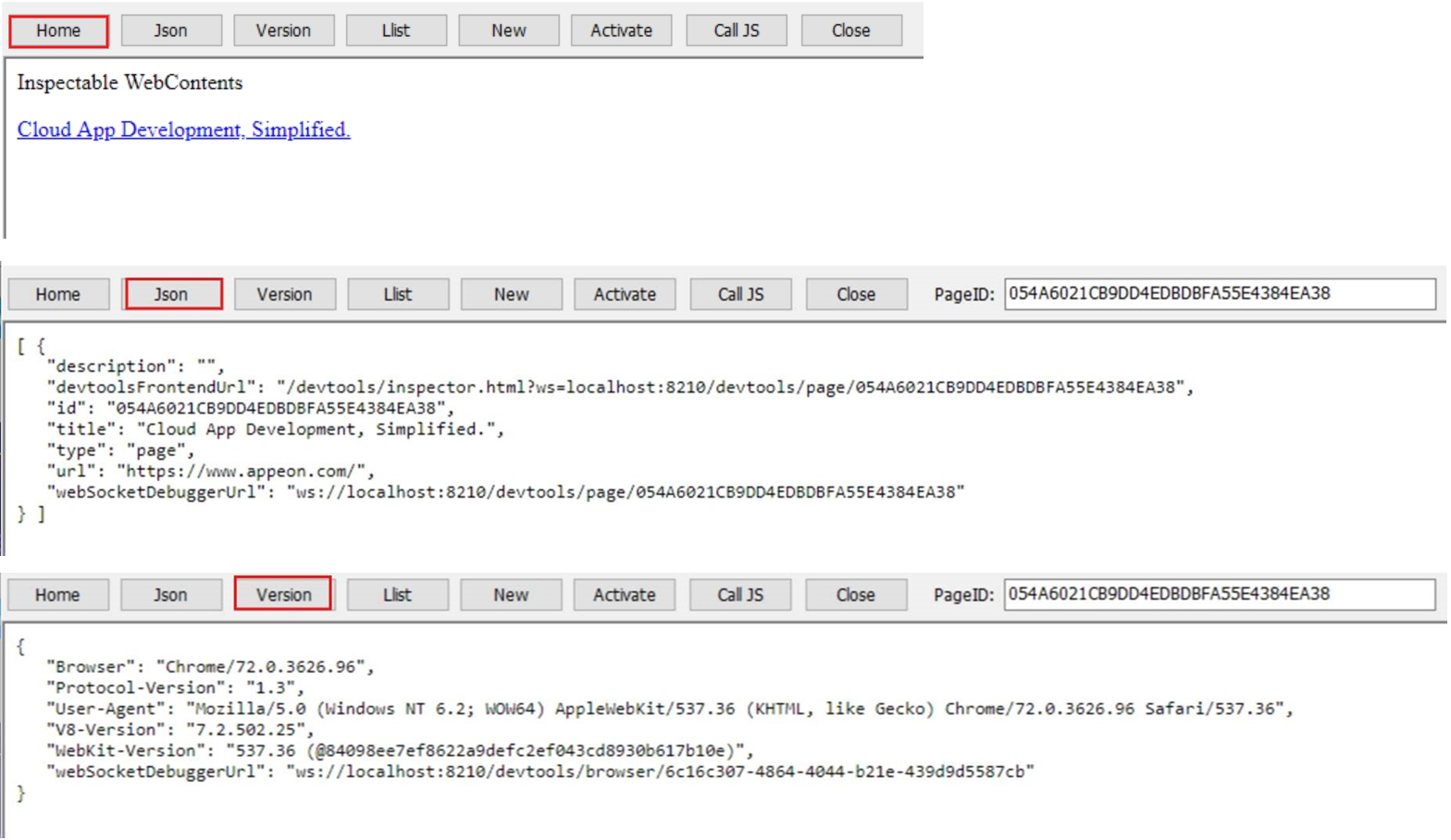
Access the main page: http://localhost:8210
Get the JSON string (which includes the page ID): http://localhost:8210/json
Get the version information: http://localhost:8210/json/version
Activate the page: http://localhost:8210/json/activate/{id}, for example, http://localhost:8210/json/activate/054A6021CB9DD4EDBDBFA55E4384EA38
Close the page: http://localhost:8210/json/close/{id}
Remote control: http://localhost:8210/devtools/inspector.html?ws=localhost:8210/devtools/page/{id}
Here is the returned information when debugging www.appeon.com:
Examples
The following example configures the language settings for the WebBrowser control in the application Open event.
integer li_Ret

li_Ret =WebBrowserSet("Language", "de-DE")
See also
